
Studio audio planning begins with the room and the people speaking in it. Microphones, routing and processing should follow a clear understanding of the program, noise sources and listening requirements. The goal is a recording or live contribution that remains usable under ordinary operating conditions.
Use this guide to prepare an audio brief, organize the survey and agree on tests. It covers spoken-word studios and related communication workflows. Music production or specialized acoustic performance may require additional design work beyond this planning framework.
Define what must be captured
List the sources: a seated presenter, several guests, a standing demonstration, remote contributors, playback or audience questions. Note whether each source is simultaneous or appears in a separate segment. The maximum number of microphones is only one part of the requirement.
Describe how people move. A lecturer may turn toward a display, a guest may lean back and a product presenter may walk between a table and a demonstration area. The microphone plan should follow those behaviors. Testing a single still position can produce a misleading approval.
Specify the final outputs. A live program, an edited recording and separate tracks for post-production can require different routing and recording decisions. Ask the editor or receiving producer what they need before the technical team finalizes the capture system.
Make a noise map of the operating day
Walk through the room at the times it will be used. Identify ventilation, nearby traffic, lifts, doors, adjacent conversations, appliances and equipment fans. Mark the source locations on a plan and note when each becomes noticeable.
Make consistent sample recordings from the proposed presenter and microphone positions. Include speech and pauses. Describe the room conditions aloud at the start of each sample so the files remain meaningful later. A sample should help the designer understand the complaint, not pretend to be a calibrated measurement.
Separate sources the team can control from those it cannot. Moving an equipment rack, changing a recording schedule and modifying the building are different decisions with different owners. If a source cannot be controlled, the design must account for its presence or clearly identify the limitation.
| Noise observation | Information to collect | Likely people to involve |
|---|---|---|
| Ventilation noise | Operating state, vent location and session timing | Facilities and acoustic specialist |
| Nearby conversations | Adjoining use, doors and recurring activity | Facilities and room owner |
| Computer or equipment fans | Device location and workload during recording | IT and technical designer |
| Traffic or exterior activity | Timing, window conditions and affected positions | Building team and acoustic specialist |
| Furniture and handling noise | Chair, table and microphone contact during use | Producer and studio designer |
Separate room treatment from isolation
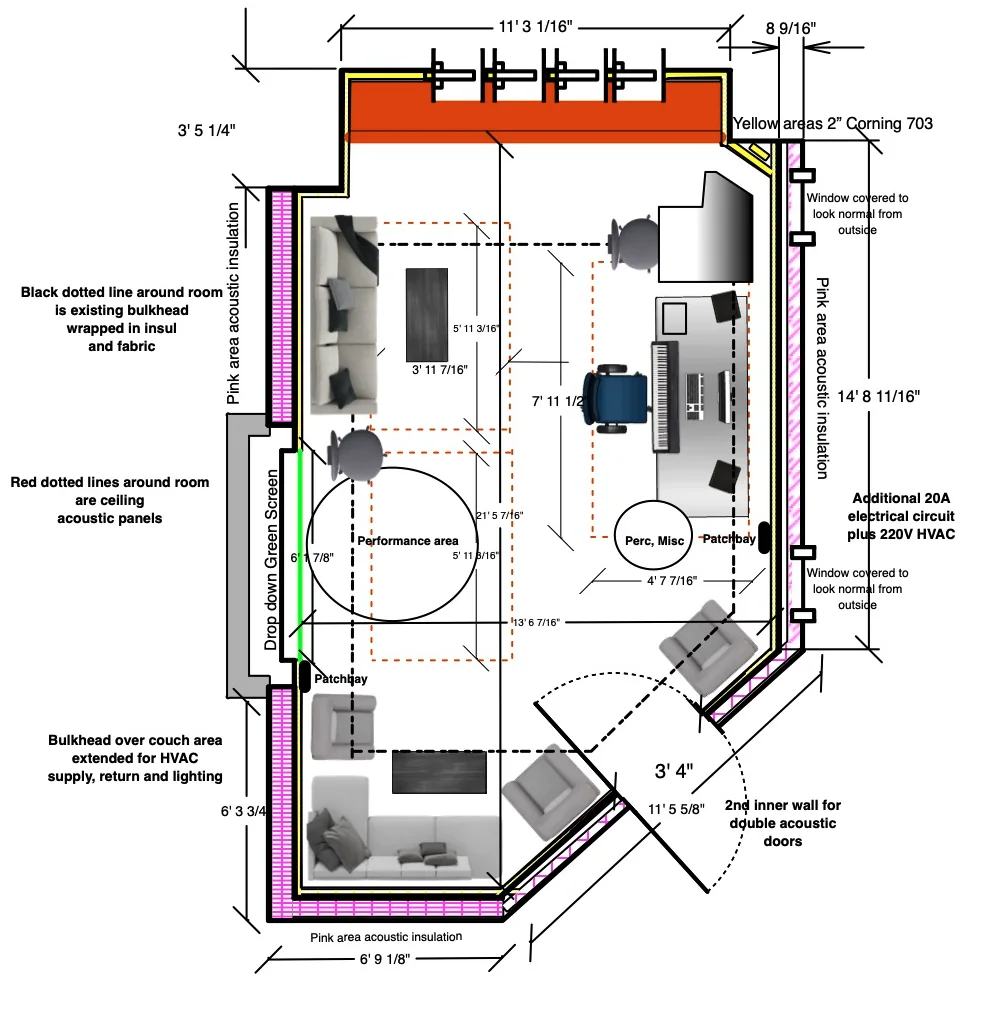
Treatment addresses the sound inside the room, including reflections that affect speech or monitoring. Isolation addresses transmission between spaces. Source control addresses the device or activity creating noise. A complete plan may need more than one of these responses.
Ask the survey to identify which problem each proposed measure is intended to address. If construction is proposed, involve the building professionals responsible for the affected assemblies, services and access. Do not assume that sealing an opening or adding weight is a safe or complete solution.
For a less technical explanation, begin with the paired article on acoustic treatment and sound isolation. The design brief should then translate that distinction into room-specific observations and acceptance conditions, rather than requesting an undefined “soundproof studio.”
Test microphone positions with real speakers
Compare practical microphone positions while the person speaks normally. Listen for changes when they turn, lean, gesture or read from a screen. Consider whether the position can be maintained without making the presenter uncomfortable or restricting the conversation.
The camera view and microphone arrangement need to be planned together. If the microphone must stay outside the frame, test the available position before approving the shot. If it remains visible, make its placement consistent and ensure guests can use it without continual correction.
Shure’s microphone techniques reference describes the relationship between placement and captured sound. Use that principle to structure a comparison in your room. Product category alone does not establish how a microphone will behave in a particular placement.
Specify the listening paths
List who needs to hear what. The presenter may need a remote guest, the operator needs the recording, and a room audience may need amplified speech. Those are separate listening tasks. A single output may not satisfy all of them.
For remote conversations, define the return feed in words: the guest hears the host and intended playback without an unusable delayed return of their own voice. The technical team can design the required routing, often called a mix-minus when a feed excludes the recipient’s own contribution.
Test this with a person outside the room. Include interruptions, simultaneous speech, playback and a reconnection. A local meter showing activity is not enough to establish that the remote participant receives the right content at a usable level.
Decide what is recorded and what can be repaired
A finished mixed recording is convenient, but it combines decisions made during the session. Separate tracks may give an editor more control, while adding storage, labeling and review responsibilities. Choose the arrangement based on the program and available post-production workflow.
Identify the reference recording and any backup. Explain which failures the backup is intended to cover. A second file created by the same failing path may not provide the independence the team assumes. Ask the designer to describe the actual dependency rather than use “redundant” as a complete specification.
Give the editor a test package early. Confirm that the tracks open correctly, their names make sense and they align with the picture. If a sample requires a special repair, resolve that issue before the first important recording instead of making it a recurring editorial task.
Coordinate audio equipment with the physical room
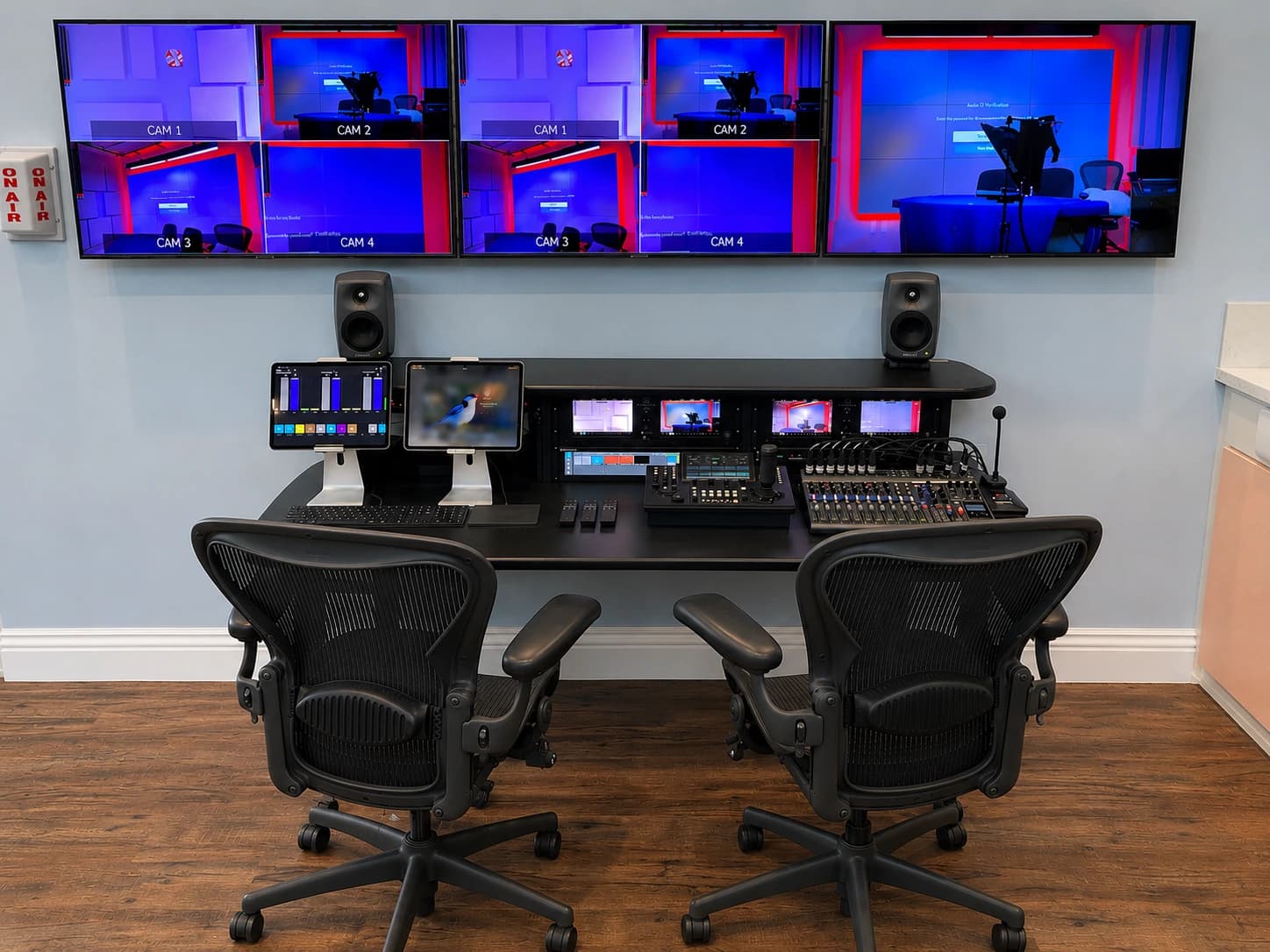
Plan where interfaces, mixers, receivers and monitoring equipment will live. They need accessible connections, ventilation and a practical operating position. Keep equipment noise and visible clutter in the discussion without hiding components where they cannot be serviced.
Cable routes should account for chairs, doorways and presenter movement. Label both ends in a way that matches the documentation. If an everyday user needs to reconnect a device, make the correct connection identifiable without opening a rack or following a bundle of similar cables.
Where wireless microphones are appropriate, include frequency coordination, battery management and local operating requirements in the technical scope. Do not choose frequencies from a generic online example. The production team should verify the equipment and permitted operation for the actual location and coordinate with other systems in use.
Treat processing as part of a tested chain
Audio processing can manage levels, tonal balance or particular noise problems, but it should be evaluated on the intended material. Listen for what it changes in the voice as well as what it removes. Settings that sound acceptable in a solo test may behave differently during interruptions or several active microphones.
Document where processing occurs. The microphone system, computer and meeting platform may each apply changes. If several layers operate without coordination, it can become difficult to identify why the sound changes. Keep the supported configuration clear enough for the operator and IT team to maintain.
Test both the live destination and the saved recording. They may pass through different processing or routing. Approval of one should not automatically approve the other. Record the application settings that matter and identify who reviews them after updates or changes.
Write acceptance tests around listening
Use the actual room, normal equipment load and intended users. Have someone monitor outside the room and review the saved files. Include pauses, quiet speech, normal emphasis, turns toward a display and any movement the format requires.
Agree on how the team will judge the result. If a measured acoustic target is required, it should be specified and verified by the appropriate specialist. For operational acceptance, define the expected content and the conditions under which it must be understandable and usable.
Keep a short reference recording from the accepted setup. It gives future operators and support staff something to compare when the sound changes. Store it with the date, room state and relevant settings, without including confidential material that does not belong in a technical reference.
| Test scenario | Listen for | Confirm afterward |
|---|---|---|
| Presenter at normal position | Clear, consistent speech and acceptable room contribution | Correct microphone and recording destination |
| Presenter turns or moves | Changes remain acceptable for the format | Any limits are understood by the presenter |
| Remote conversation | Both directions work without disruptive return audio | Guest and program feeds contain the intended sources |
| Playback within a session | Content is audible to the required listeners | Playback is included in the correct recording |
| Full operating conditions | Fans, ventilation and ordinary activity are accounted for | Remaining noise limitations have an owner |
Train the operator to identify the fault
A useful handover teaches the operator to distinguish an absent source, a muted path, the wrong input and a failed destination. It does not require them to become an audio engineer. The instructions should point to visible checks and a safe escalation path.
Practice with a controlled fault before real production, such as an intentionally unselected input. Ask the operator to use the documentation, restore the normal state and verify the result. Avoid training that consists only of watching the installer complete a perfect demonstration.
Assign maintenance tasks: checking batteries where used, inspecting connectors, confirming recording space and reviewing changes to software or room layout. Agree who can alter the configuration and how those changes are recorded. A well-designed system can become confusing when undocumented adjustments accumulate.
Audio brief and handover checklist
- Describe all speaking, playback and remote sources.
- Identify movement, seating and microphone visibility requirements.
- Provide a noise map, room photographs and representative recordings.
- Separate treatment, isolation and source-control questions.
- List the listening feeds needed by presenters, operators and audiences.
- Define mixed recordings, separate tracks and backup responsibilities.
- Coordinate mounting, cabling, ventilation and service access.
- Test the complete path with remote listeners and the receiving editor.
- Save operating instructions, configuration records and an accepted reference sample.
- Name the daily operator, maintenance owner and support contact.
JAZ’s studio design work brings audio into the room and production plan. Send the brief and sample recordings so we can identify which issues can be evaluated from the workflow and which need an on-site acoustic or building assessment.
Jesse Kaplan

Jesse Kaplan is the third generation of JAZ Entertainment. His work spans permanent studios, professional AV systems and live technical production.
About Jesse and JAZ