
Plan cameras, lighting and backgrounds as one arrangement. Start with what the audience needs to see, place the presenter and cameras, then develop the light and scenery that work within those views. Review the result through the recording path before finalizing the installation.
This sequence applies to a desk studio, a corporate capture room or a multi-camera set. The complexity changes, but the planning dependency remains: a decision in one part of the room can alter what another camera or presenter needs.
Build a shot list from the program
Describe the required views without naming equipment. A solo message may need a seated medium view. A demonstration may need the presenter’s hands and a close view of an object. A panel needs enough coverage to follow the conversation without hiding a participant.
For each view, record the subject, movement, background and intended output. State whether it must work live or can be adjusted between recordings. If several outputs share one session, identify the primary composition and the secondary crops that need to remain possible.
Keep optional views separate. An occasional ambitious shot should not silently determine the entire room. Ask what it contributes to the finished program and whether the operating team can support it. A smaller set of dependable views can be more useful than many positions that require extensive resetting.
Place people before placing cameras
Use the actual seating, desk or demonstration surface where possible. Mark the presenter’s working area, including the space needed to enter, turn, reach and gesture. Leave appropriate circulation and access for everyone who uses the room.
Check the relationship among participants. A conversational arrangement should let them look at one another naturally. A presentation arrangement should let the speaker see their audience or prompts without continually abandoning the camera. These choices affect camera position before lens selection begins.
If the studio serves several presenters, test a representative range of heights and postures. Document what can be adjusted by the user and what requires an operator. A setup that works for one carefully positioned person may not be a practical shared room.
Map each camera’s complete view
Draw the camera position and identify what appears at the edges of the frame. Include lights, stands, other cameras, monitors, doors and reflective surfaces. Consider the space behind the camera for an operator or service access.
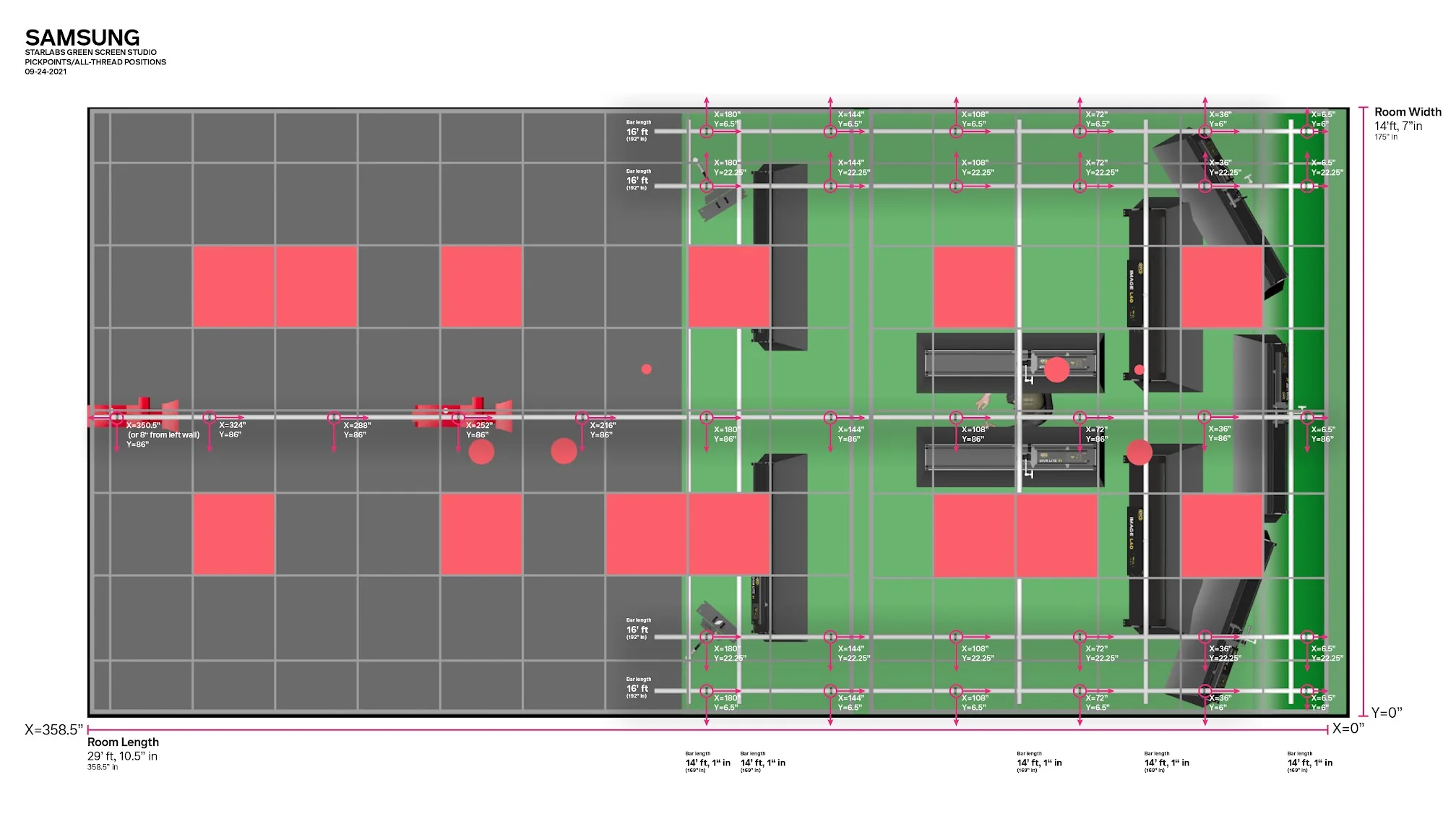
JAZ’s Samsung studio case study documents camera-position studies for repeatable facial and full-body capture. The project’s planning drawing shows how subject and equipment positions can be resolved before the room is built. It is a project-specific example, not a universal dimensioned plan.
Test the proposed views with a temporary camera arrangement if possible. Look at the image on a normal display and in the likely delivery format. A room plan can show available space, but a camera test reveals what the audience will actually see.
Choose the background by its production job
An existing office can provide context and reduce scenic work. A physical set can create a consistent identity. A display can change content between segments. A green screen can support compositing. Each option has operating and lighting implications that should be included in the brief.
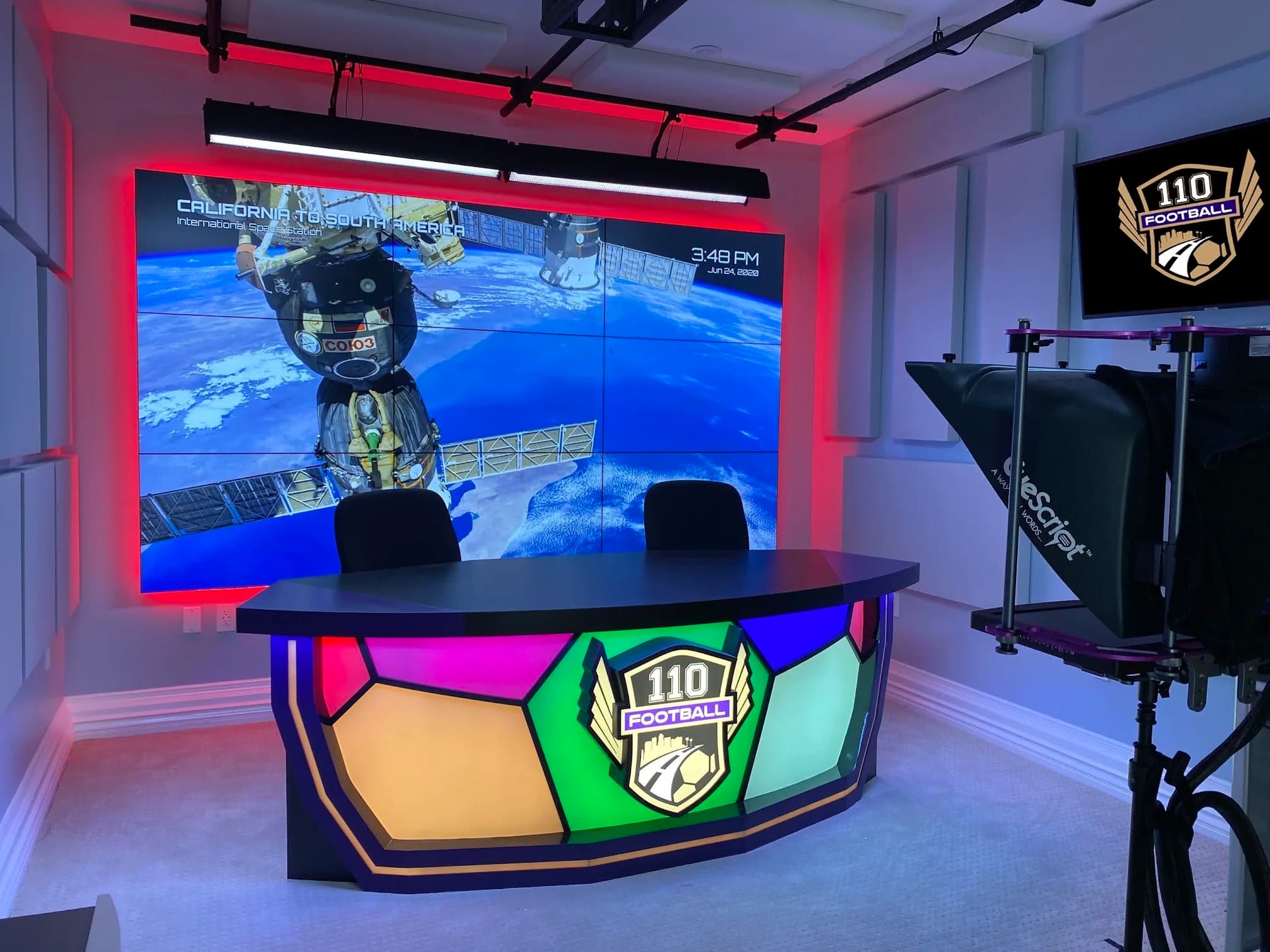
For a display background, identify who prepares the content, how it is loaded and what happens if the wrong version appears. Review the actual graphics through the camera. Detail, brightness and motion that work on a design monitor may need adjustment in the photographed view.
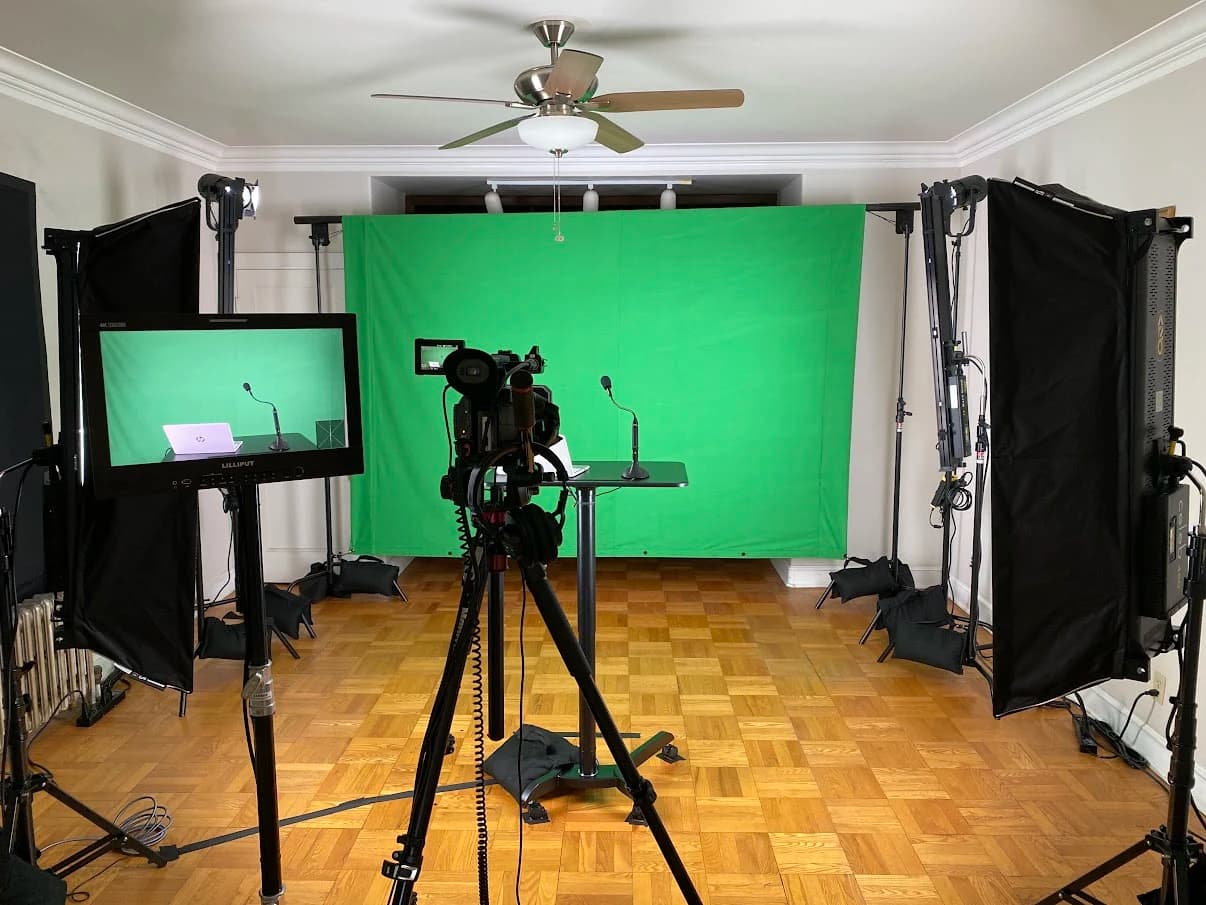
For a green screen, include the compositing workflow and the people who operate it. The background capture, presenter position, lighting and camera settings must work together. Do not approve a green room solely because its painted surface looks even in a phone photograph.
| Background approach | Useful planning question | Operating responsibility |
|---|---|---|
| Existing room | What stays in view during ordinary work? | Maintain privacy and reset the visible area |
| Physical set | Which views and presenter arrangements must it support? | Restore furniture and scenic positions |
| Display background | What content is shown and how does it photograph? | Load, verify and recall approved content |
| Green screen | How will the foreground and background be combined? | Maintain capture conditions and operate the composite |
Develop light for the face and setting
Work through each camera view with the presenter in position. Decide where light can reach the face comfortably and how the background should relate to it. Inspect glasses, shiny objects and table surfaces, including what changes when the presenter turns.
Allow for the room’s existing light. Windows, ceiling fixtures and displays can affect the captured result. Decide which conditions are controlled and which remain variable. If the design depends on blinds being closed, that instruction belongs in the operating plan and acceptance test.
Plan practical fixtures and decorative lighting as part of the frame. Their purpose may be visual rather than to illuminate the presenter. Check how they appear at the intended camera settings instead of assuming that a fixture comfortable to look at directly will record well.
Coordinate support, power and access
Once the lighting positions are understood, determine how equipment will be supported and serviced. Floor stands, wall mounts and overhead structures have different requirements. Qualified people should assess the suitability of the building and support method for the actual loads and installation.
Coordinate power and control with the appropriate trades. Show cable paths and access to equipment that may need adjustment or replacement. A clean picture should not be achieved by placing service points where nobody can safely reach them.
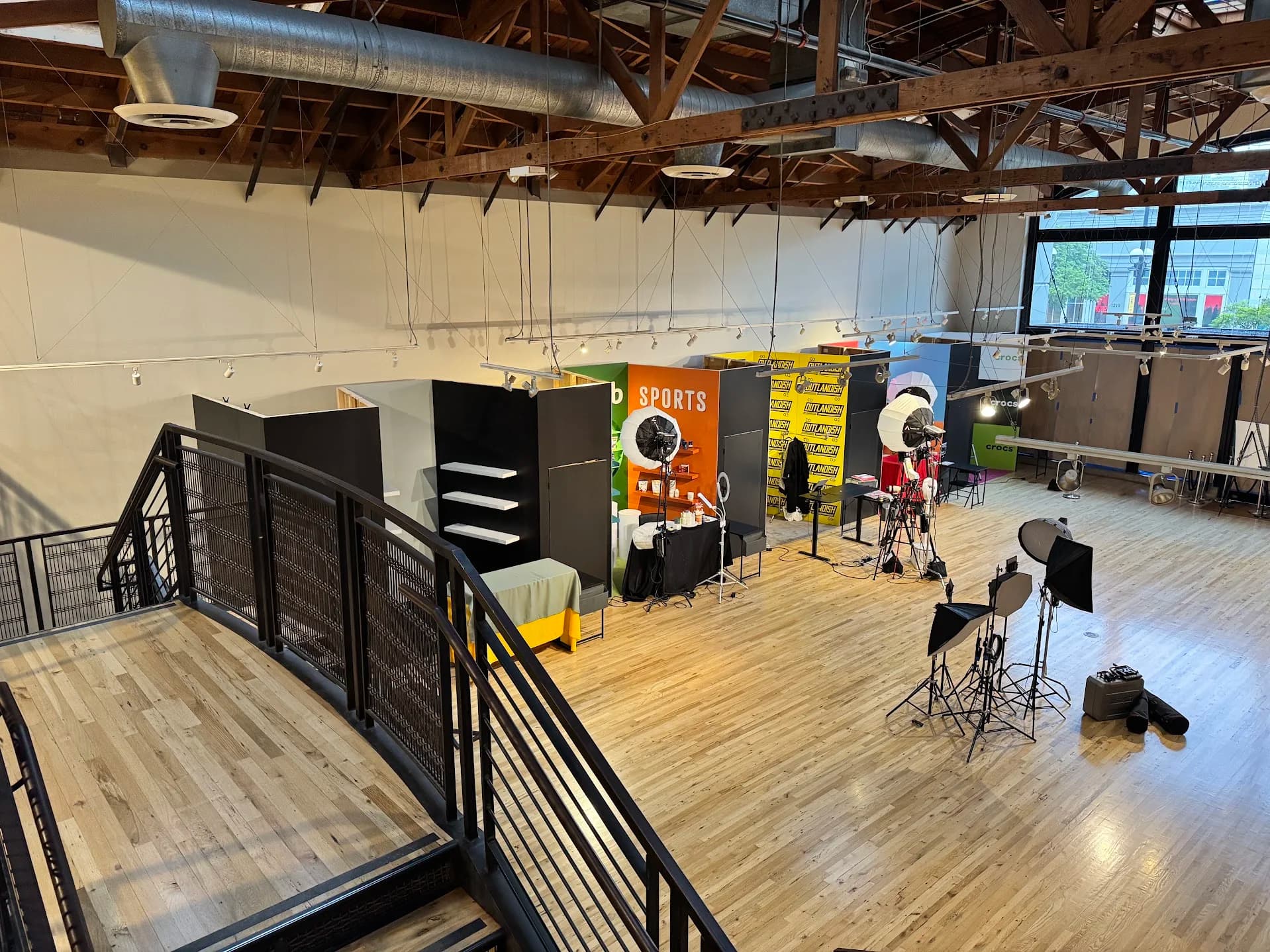
Include installation restrictions in the schedule. JAZ’s Outlandish project used a freestanding truss approach in a retail space with restrictions on altering the building. That documented constraint shaped the support design. It is a useful reminder to establish permissions and structural boundaries before choosing mounting hardware.
Keep microphone and monitor positions in the layout
A microphone arm can cross a camera view. A confidence display can reflect in glasses. A teleprompter can change the available lens position and the space around the desk. Include these components while the room is being planned, not after the lighting is installed.
Test eyelines with the information the presenter actually needs. A display showing slides may belong in a different place from a screen showing a remote guest. If one display must serve both roles, rehearse the transition and identify who changes its content.
For audio, verify that visually convenient positions remain usable for speech. If a microphone must be moved farther away to clear the frame, listen to the result. The accepted room should solve the picture and sound together rather than leave one department to repair the other’s compromise.
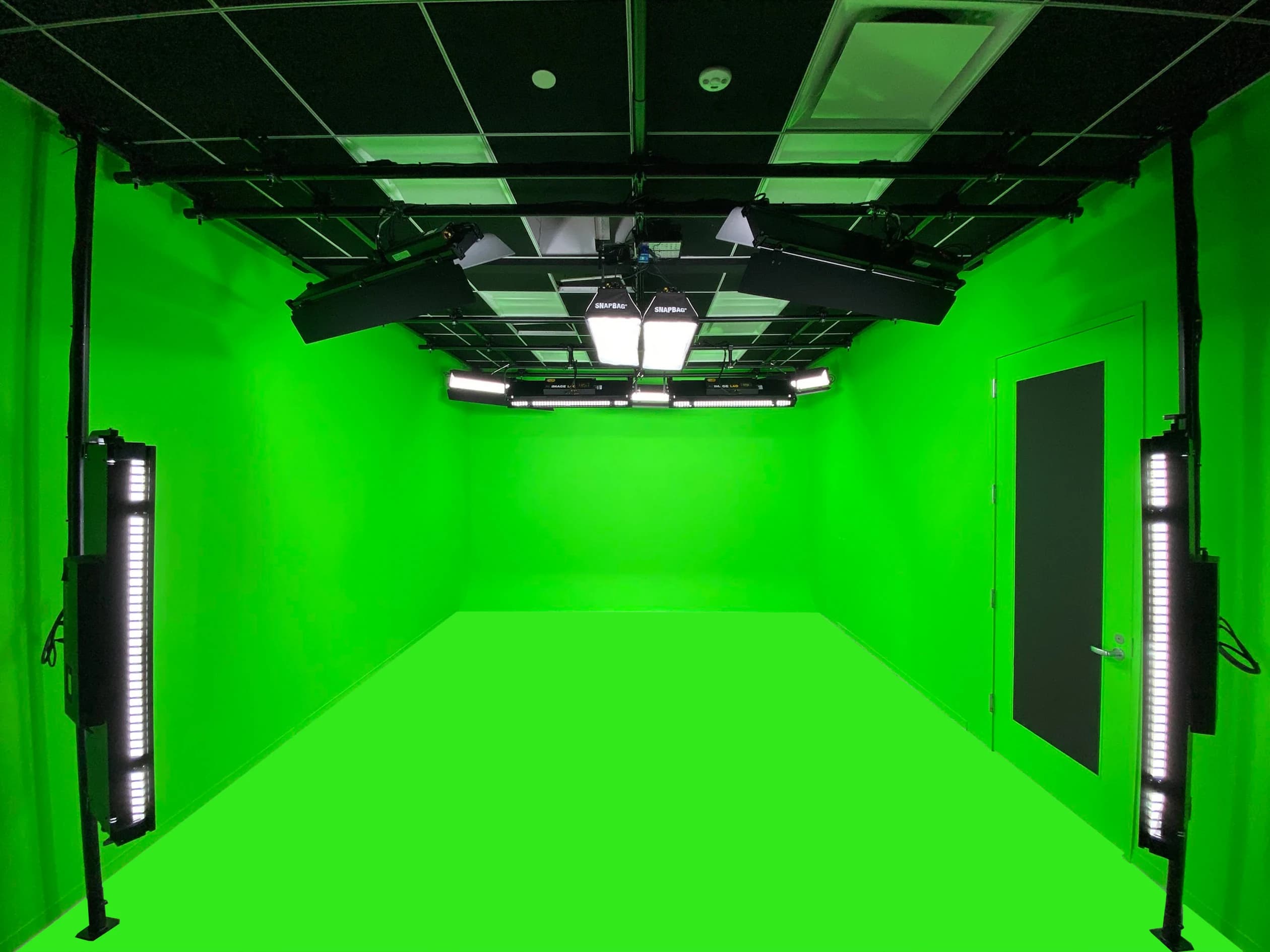
Record a full camera and lighting test
Use the intended recording path and camera settings. Capture every required view, including transitions and presenter movement. Review the sequence, because a difference that is subtle in isolation can become distracting when the program cuts between cameras.
Check focus, exposure, color, reflections and visible flicker or banding. Include the display backgrounds and practical lights that will be used in production. If a problem appears, isolate the combination causing it and retest after the adjustment. A product specification should not replace the observed result.
Use representative clothing, glasses and products. Avoid approving the room with an unusually easy subject and discovering later that the normal presenter’s glasses reflect a monitor or a glossy product obscures its own label. Save the accepted samples with the relevant configuration notes.
Create useful presets and reset references
Name operating states by the program they support. “Executive message,” “two-person interview” or “product table” can be more meaningful to a daily user than a list of fixture channels. The control design should expose the choices the user needs and keep technical configuration accessible to support.
A preset assumes the physical room is in the right state. Photograph or diagram the correct chair, camera and furniture positions. Explain which changes are safe for the user and which should trigger a new camera or lighting check.
Test recall after the room has been used for something else. Ask the operator to restore the arrangement using the references and compare a sample with the accepted view. If that process requires undocumented judgment, improve the instructions or simplify the reset.
| Review point | What to check | Evidence for handover |
|---|---|---|
| Presenter position | Comfort, movement and eyeline | Recorded sample and position reference |
| Camera coverage | Every agreed view works without unwanted equipment | Shot list with approved frames |
| Lighting | Faces and backgrounds remain usable in the supported conditions | Settings and representative clips |
| Displays and practicals | Content, reflections and camera compatibility | Approved content test |
| Reset | Another trained user can restore the intended arrangement | Completed user-led rehearsal |
Decide what changes need another review
A new table, background screen or camera position can affect the accepted room. Establish a simple change process: record the proposed change, identify affected views, test them and update the references. This helps the studio remain consistent without discouraging useful improvements.
For frequently changing sets, distinguish fixed infrastructure from elements intended to move. The operating team needs to know which parts of the arrangement can be adjusted within the existing plan and which require technical review. That boundary should be visible in the handover material.
If content teams introduce a new format, return to the shot list. The room may support it with a small change, or the request may expose a new requirement. Treat the format as a production problem to assess rather than assume another fixture or lens will make it work.
Briefing checklist for a coordinated room
- List required views, presenter counts and movement.
- Identify the primary delivery format and secondary crops.
- Provide dimensions, photographs, windows and mounting restrictions.
- Define the background and who supplies its content.
- Include microphones, script displays and confidence information.
- Coordinate equipment support, power, controls and service access.
- Test every view with representative presenters and materials.
- Save approved frames, settings and reset references.
- Train the operator to recall, check and recover each supported state.
- Record the process for reviewing later room or format changes.
Send JAZ your shot list and room information to start the design discussion. Our studio planning services can connect camera geometry, lighting, scenery and operation before the equipment schedule is finalized.
Jesse Kaplan

Jesse Kaplan is the third generation of JAZ Entertainment. His work spans permanent studios, professional AV systems and live technical production.
About Jesse and JAZ