
A professional AV project is complete when the intended users can carry out their tasks and the support team can maintain the system. Procurement and installation are important stages, but they do not establish that the room works as required.
This checklist follows the project from discovery through handover. Use it to coordinate the client, technical designer, IT, facilities, installers and daily users. It applies to meeting rooms, presentation spaces and installed production systems, with the test scenarios adapted to the actual use.
Discovery: describe user tasks
Observe the room or interview the people who will use it. Ask them to describe tasks rather than products: start a meeting, show a presentation, hear a remote participant, record a training session or change between room arrangements.
Identify the people who encounter the system without preparation. Visitors, occasional presenters and backup staff can reveal requirements that experienced users overlook. Include accessibility and ease-of-use needs in discovery so they can influence controls, displays and training.
Record current problems with context. “Audio fails” is incomplete. Note which device was used, which mode was selected, who could not hear and whether the problem affected the room, the remote audience or the recording. This gives the design team evidence to investigate.
- List the common tasks and the less frequent tasks that still matter.
- Name primary users, visitors, daily support and the project decision-maker.
- Identify existing equipment and what the organization expects to retain.
- Write the desired outcome for each task in observable language.
Site survey: verify the room’s constraints
Measure the room and document seating, sightlines, doors, windows and fixed features. Identify potential equipment, display, camera and operator locations. Include access for installation and future service.
Coordinate with facilities on mounting, power, cable pathways, ventilation and any construction. The AV team should not assume that an available-looking ceiling or wall can support a proposed installation. Qualified specialists must resolve structural and building questions within their responsibility.
Record the acoustic and lighting conditions that affect calls or presentations. Test during representative operating hours where possible. If the space will be refurbished, distinguish the current conditions from the intended finished room so the design is not based on an obsolete layout.
Scope: define the system boundaries
A scope should identify what is included, what another party provides and where the two meet. Name responsibility for network ports, account creation, electrical work, furniture, mounting approvals and content. An unassigned dependency can delay commissioning even after all AV equipment is installed.
Define supported modes and connection methods. A room-compute system and a laptop-led meeting can be different operating arrangements. If both are required, explain how the user selects between them and how the room returns to its normal state.
List deliverables beyond equipment: design drawings, programming, installation, testing, documentation, training and support arrangements. Ask proposals to address these consistently so the comparison reflects a finished system rather than unrelated hardware totals.
| Project boundary | Question to settle | Evidence before installation |
|---|---|---|
| Network | Which ports, services and policies must be ready? | IT-approved requirements and test plan |
| Power and mounting | Who provides and approves the physical infrastructure? | Coordinated drawings and responsible contractor |
| Accounts and software | Who owns licenses, credentials and updates? | Named owner and supported configuration |
| Furniture and layout | What is fixed, movable or provided by another supplier? | Approved room arrangement |
| Support | Who receives faults and who can change settings? | Escalation route and access agreement |
Design review: follow the whole signal path
Review each source and destination. A laptop presentation may need to reach the room display, remote audience and recording. A remote participant may need to be heard in the room without being returned to themselves through an unintended path.
Use simple diagrams or written source-to-destination lists with the client. Technical drawings can then carry the detailed specification. The purpose of the review is to make sure every participant understands what the system must do, not to make nontechnical users approve unfamiliar symbols.
Review controls at the same time. Name the common actions and the feedback that confirms success. Ask what the user sees when a device is unavailable or the wrong mode is selected. A clear recovery route is part of the interface design.
Procurement: check compatibility and substitutions
Confirm the equipment schedule against the approved design, including accessories, interfaces, mounting parts and cables. A system can be delayed by a missing connector or support component even when the major devices have arrived.
Agree on a substitution process. Proposed changes should be assessed for compatibility, control behavior, physical fit, support and acceptance requirements. “Equivalent” should describe the functions that matter to this system, not only a similar product category.
Track ownership of warranties, software access and configuration records. The client should know who holds the information needed for support and replacement. Avoid a handover that depends on accounts or settings available only to an individual technician.
Installation: preserve access and traceability
Inspect the installed positions against the agreed layout. Check service access, ventilation, cable routing and labeling. Physical neatness is useful, but it does not replace the ability to trace a connection and reach a component when something fails.
Record changes made on site. If a pathway, mount or device location differs from the drawing, update the documentation so the support team inherits the actual system. A perfectly drawn original plan is not an as-built record if the installation changed.
Coordinate disruptive work and room availability. If users will enter the space before commissioning is complete, make its status and limitations clear through the project’s normal communication process. An unfinished room should not be silently treated as ready because the displays turn on.
Commissioning: test tasks under real conditions
Use the approved devices, accounts and applications. Test each supported input and output, then run the ordinary user scenarios from discovery. Include the remote experience where applicable rather than checking only the room display and speakers.
For meeting spaces, review the actual seats, presentation positions and shared content. Microsoft’s room planning guidance is useful for Teams-based environments, but acceptance should still reflect the room and modes agreed for this project.
Test a cold start, normal shutdown and selected recovery scenarios. Use controlled tests outside real business activity. Record pass evidence and unresolved issues with owners, rather than closing commissioning with an undocumented verbal demonstration.
| Scenario | What the tester does | What must be confirmed |
|---|---|---|
| Start a meeting | Uses the normal room controls and account | Correct camera, microphone, speakers and participant view |
| Present content | Connects a supported device and shares a real document | Both local and remote audiences receive readable content |
| Change speaker | Uses the expected seats and presentation positions | Voice and picture remain usable for the supported layout |
| Recover a connection | Follows the documented reset after a controlled interruption | The room returns to its accepted state |
| Finish | Ends the session and leaves the room | Calls and recordings end, and the next user finds a known state |
Training: let the user perform the work
Separate everyday-user training from technical-owner training. Daily users need the start sequence, common actions and a clear way to get help. Support staff need configuration records, connections, recovery steps and escalation information.
Ask users to perform the scenarios while the trainer observes. Where they hesitate, determine whether the instruction, label or control should change. A training session should improve the system’s usability rather than simply teach people to remember an awkward sequence.
Include a person who was not involved in the design. Their questions can reveal assumptions the project team no longer notices. Keep a short operating card in a practical place and ensure any digital instructions remain accessible to the intended users.
Handover: deliver a maintainable system
Request an equipment inventory, as-built connections, configuration backups where applicable, software and account ownership information, warranties and test results. Include a record of accepted limitations and unresolved items with due dates agreed by the project parties.
Make the support arrangement explicit. Who receives a fault report, what information should the user provide and who is authorized to change the configuration? Do not imply a response time or service level that has not been contracted.
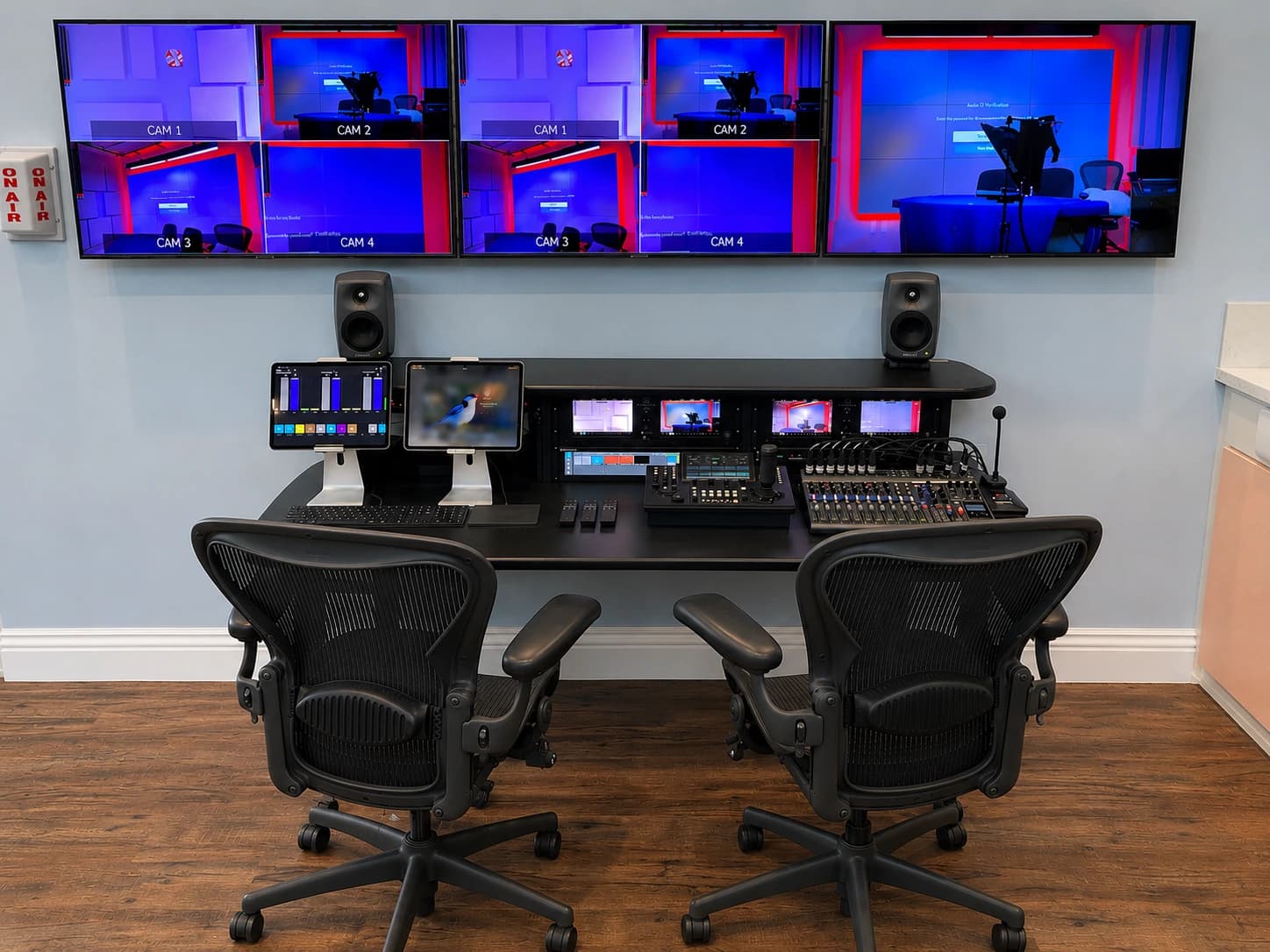
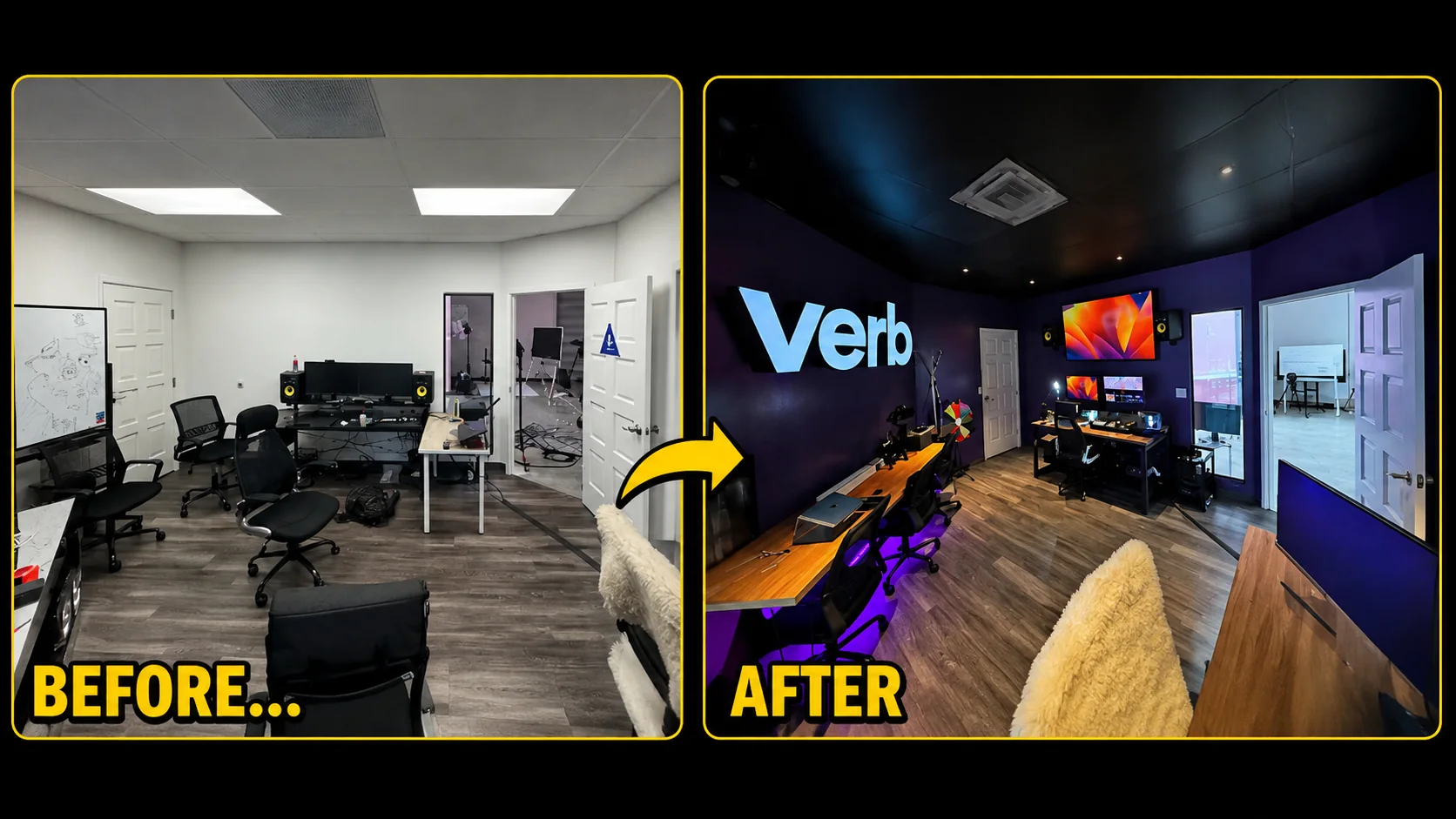
JAZ’s Market.live and VERB record includes engineering-room organization and technical integration alongside lighting work. The project photograph illustrates a physical operating environment. The broader handover requirement is that the people inheriting any system can understand its layout and responsibilities.
Operation: keep the accepted state current
Nominate a system owner who tracks changes to computers, applications, furniture and equipment. A small replacement can alter a previously tested workflow. Decide which changes require a short regression check before the room is used for an important session.
Maintain a simple issue log with the symptom, date, affected mode and action taken. Avoid undocumented adjustments by several people trying to solve the same problem. A shared record helps distinguish a recurring fault from a new operating condition.
Schedule maintenance according to the installed system and support agreement. Include practical checks such as connection condition, storage availability where recording is used and the accuracy of the startup instructions. Do not treat a successful installation day as evidence that the room will remain unchanged indefinitely.
Final acceptance checklist
- User tasks and supported modes are written and approved.
- The physical installation matches the as-built record.
- IT, facilities and contractor dependencies are complete.
- All intended sources reach their required destinations.
- Remote participants and saved recordings have been checked separately.
- A new user can follow startup and shutdown instructions.
- Recovery scenarios have been practiced under supervision.
- Configuration records, ownership and support contacts are delivered.
- Known limitations and unresolved items have named owners.
- The client’s authorized reviewer accepts the completed scope.
Use the checklist when discussing JAZ system design and installation. Send the room requirements and existing pain points so discovery can establish what the system needs to do before a hardware schedule is prepared.
Jesse Kaplan

Jesse Kaplan is the third generation of JAZ Entertainment. His work spans permanent studios, professional AV systems and live technical production.
About Jesse and JAZ